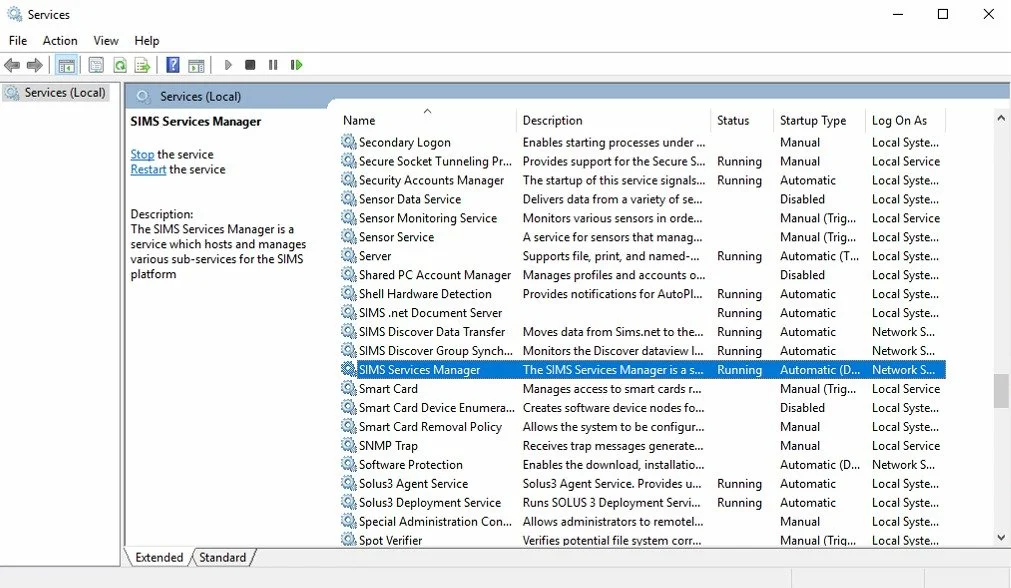
Until your school’s data is wholly in the cloud there will be a period when changes will be made in both the online and locally stored copies of the database. A programme installed to your school’s SIMS server (SIMS Services Manager) will take care of this synchronisation but it is critical that this programme is running at all times. Should you find that changes made in either the local or online versions of SIMS are not reflected this would point towards the programme not working correctly.
As we may not have access to your school’s system you should refer the matter to your usual technical support provider. A simple restart of the programme will normally flush the problem through but your tech support provider can access a range of advice and information here - ParentPay’s troubleshooting page
Should your tech support provider need assistance after following these steps, we ask that they log a support call by completing the form here.